How to Create QR Codes That Actually Get Scanned: Design, Placement & Marketing Strategy
All Quick Tool Team
May 3, 2026The QR Code Problem Nobody Talks About
You've seen them everywhere: QR codes on table tents that are too small to scan, QR codes on dark backgrounds with no contrast, QR codes on the backs of business cards where you can't hold the phone steady. And you've walked away without scanning—along with everyone else.
Most QR codes fail silently. They're created, printed, placed—and then nobody scans them. The business owner assumes QR codes don't work for their industry. The real problem is design and placement, not the technology.
This guide covers everything that determines whether your QR code actually gets scanned or gets ignored. These aren't theoretical principles—they're tested rules from real campaign results.
The Minimum Size Rule (Most People Get This Wrong)
Why Size Matters More Than You Think
QR codes have a minimum scan distance rule: the code should be at least 1/10th the distance from which it will be scanned. This means:
- Business card (scanned at 10-15cm): Minimum 1cm x 1cm (but 2.5cm x 2.5cm is recommended for reliability)
- Table card/tent (scanned at 20-30cm): Minimum 2cm x 2cm (3cm x 3cm recommended)
- Poster (scanned at 50-100cm): Minimum 5cm x 5cm (7.5cm x 7.5cm recommended)
- Billboard (scanned at 3-5 meters): Minimum 30cm x 30cm (45cm x 45cm recommended)
- Window display (scanned from sidewalk ~1.5m away): Minimum 15cm x 15cm
The most common mistake: printing business-card-sized QR codes on A4 flyers. These scan fine on business cards but look pixelated and fail on large format prints. Always generate your QR code at the final print dimensions, never scale up from a small version.
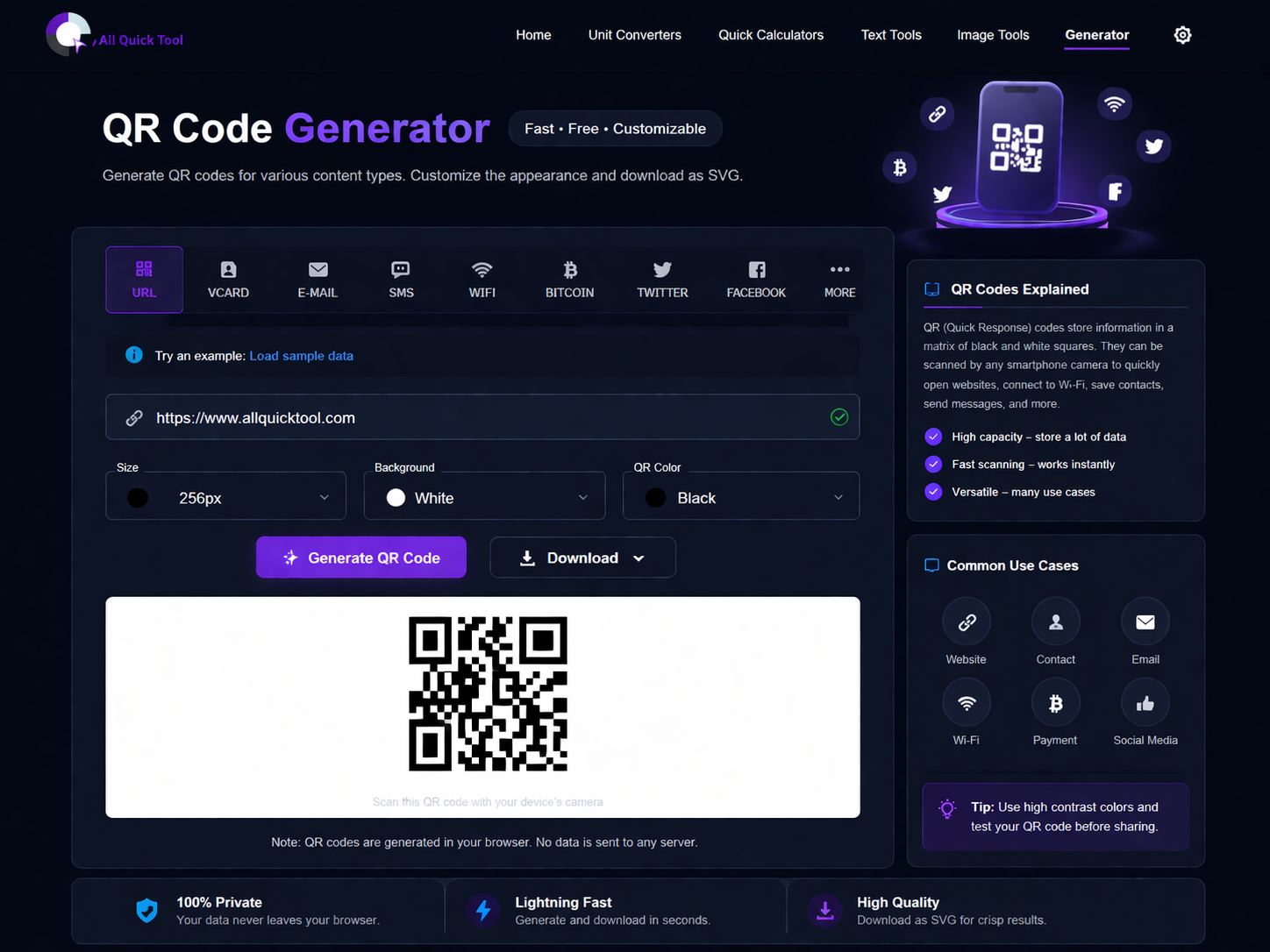
Generate correctly-sized QR codes at any resolution using our free QR code generator.
Color Contrast: The Rule That Determines Scannability
What QR Code Scanners Actually Read
QR code scanners use camera contrast detection to identify the dark and light modules (dots) in the code. For reliable scanning, you need sufficient contrast between the foreground (dark modules) and background (light modules).
Color Rules That Work
- ✅ Dark foreground on light background — The classic and most reliable combination
- ✅ Navy on white, dark green on white, dark purple on white — High contrast, visually interesting
- ✅ Black on light yellow or light blue — Good contrast, brand-aligned options
- ⚠️ Dark grey on medium grey — May work but unreliable, avoid for print
- ❌ Light foreground on dark background (inverted) — Fails on most smartphone cameras
- ❌ Red on green or orange on blue — Color-blind users can't scan, many cameras struggle
- ❌ White on white or black on black — Completely unscanneable
Testing Before Printing (Saves Expensive Reprints)
Before printing 500 business cards or ordering banner printing, test your QR code with:
- Native camera app (iPhone and Android both have built-in QR scanning since 2018)
- QR code scanner app (Google Lens, QR & Barcode Scanner)
- Test at the actual distance and under the actual lighting conditions you'll use
- Test with an older phone (iPhone 8 or Android equivalent)—older cameras are less forgiving
QR Code Placement Strategy by Industry
Restaurants & Cafes
What works:
- Table tent cards at center of table (scanned while waiting for orders)
- Laminated menu back cover with QR for ordering/reorder
- Window sticker QR linking to full menu before customers enter
- Receipt footer QR for review/loyalty signup
What to avoid:
- QR codes under dim ambient lighting without good contrast
- Codes on glossy table surfaces (glare makes scanning fail)
- Small codes on large-format menus (needs to be 4cm+ for table distance scanning)
Result benchmark: Table QR menus with WiFi QR integration → average scan rate 73% of tables per sitting, 18% click through to loyalty signup.
Retail Stores
What works:
- Product shelf cards with QR linking to online reviews (builds trust at point of decision)
- Window QR linking to "currently in stock" page (captures browsing-hour traffic)
- Checkout QR for loyalty signup (captured when customer is most engaged post-purchase)
- Product packaging QR for video tutorial or recipe (adds value, builds brand relationship)
Real Estate
What works:
- For-sale sign QR linking to virtual tour (40% more property inquiries vs. signs without QR)
- Open house flyer QR with floor plan download
- Business card QR with full vCard + current listings
- Window sticker QR on vacant property linking to rental/sale inquiry form
Events & Conferences
What works:
- Badge QR code (vCard) for instant contact sharing without paper card exchange
- Booth backdrop QR linking to product demo or signup
- Presentation slide QR for resource download (scanned while content is relevant)
- Event program QR for session schedule updates in real time
QR Code Types and When to Use Each
- URL QR Code: Best for marketing campaigns, product pages, social profiles. Most common use case.
- vCard QR Code: Best for business cards and name badges. Saves complete contact info in one scan.
- WiFi QR Code: Best for businesses with waiting areas. Eliminates password sharing friction.
- Email QR Code: Best for support cards and feedback prompts. Pre-fills recipient and subject line.
- SMS QR Code: Best for opt-in campaigns and order confirmation. Pre-fills the recipient number and message.
- Text QR Code: Best for product instructions, offline contexts (shows message without internet).
Generate all types free at our QR code generator — no signup needed.
Tracking QR Code Campaign Results
Static vs Dynamic QR Codes
Static QR codes (free, like those generated at All Quick Tool) encode the destination directly in the code. They work without a service subscription and never expire, but their destination can't be changed after printing.
Dynamic QR codes (subscription-based services) use a redirect URL, so you can change where the code points without reprinting. They also provide scan analytics.
Free Tracking Workaround for Static QR Codes
You can track static QR code scans for free using UTM parameters:
- Create a UTM link: yoursite.com/menu?utm_source=qr&utm_medium=table_card&utm_campaign=spring2026
- Generate a QR code pointing to this UTM URL using our URL QR code generator
- Track scans in Google Analytics 4 (Events → Acquisition by source)
- Cost: $0. Accuracy: identical to paid dynamic QR tracking.
Common QR Code Mistakes and How to Fix Them
- Mistake: QR code goes to homepage
Fix: Link to a specific landing page relevant to the context. Table card QR → menu, not homepage. Product packaging QR → that product's tutorial, not your home page. Relevant landing pages get 5x higher conversion rates. - Mistake: No call-to-action near the QR code
Fix: Always include text like "Scan to see our full menu" or "Scan for 10% off your first order." People don't scan random codes—they scan codes with a clear benefit. - Mistake: QR code with no error tolerance
Fix: Our generator uses error correction level M (15%) or H (30%) by default. This means the code still scans even if up to 15-30% is obscured by logos or minor damage. - Mistake: Generated at low resolution, then printed large
Fix: Our generator produces SVG/high-resolution PNG. Always download at maximum resolution for print.
Conclusion
QR codes are a bridge between your physical touchpoints and your digital presence. When designed correctly and placed strategically, they consistently drive engagement, build customer relationships, and generate measurable results. When designed poorly, they're invisible wallpaper.
Create your first correctly-designed QR code today at our free QR code generator. Test it on three different phones before printing. Pair it with a strong call-to-action. Then measure the results. Also see our complete QR code type guide and small business tools guide for more actionable strategies.
Discover More Tools & Guides
Explore all of All Quick Tool's resources and tutorials to boost your productivity.
QR Codes Explained: How to Create & Use Professional QR Codes for Marketing & Business
Complete guide to creating and using QR codes. Learn QR code types, best practices, marketing applications, design tips, and how to generate professional codes for business cards, social media, packaging, and events.
How Small Business Owners Can Save 10+ Hours Per Week Using Free Online Tools
Small business owners spend too much time on repetitive digital tasks. Discover free online tools for image optimization, QR code generation, financial calculations, and content creation that save real hours every week without any subscription costs.
Complete Guide to Image Optimization: Compress, Resize & Convert for Web Performance
Master professional image optimization techniques. Learn how to compress images, resize for different platforms, and convert formats while maintaining quality. Improve website speed, SEO rankings, and user experience with free tools.