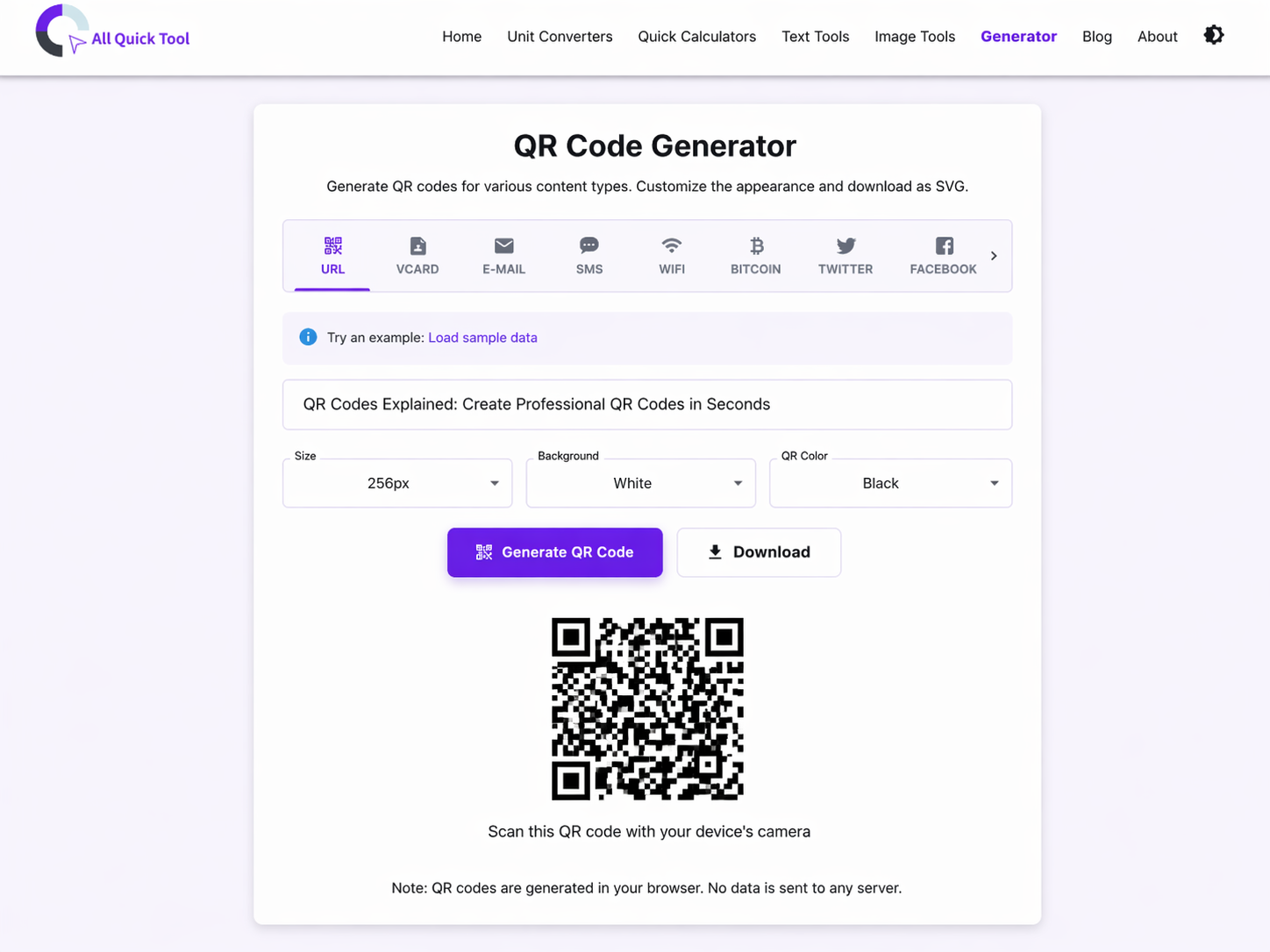
QR Codes Explained: How to Create & Use Professional QR Codes for Marketing & Business
All Quick Tool Team
April 1, 2026What Are QR Codes and Why They Matter in 2026
QR (Quick Response) codes are two-dimensional barcodes that bridge the physical and digital worlds. By 2024, QR code scans exceeded 88 billion annually—up 300% since 2021. This explosive growth happened because QR codes solve real problems: they're instant, reliable, and eliminate manual data entry friction.
Unlike traditional 1D barcodes (limited to ~20 characters), QR codes store 4,296 characters of data in a compact format readable by any smartphone without an app.
Where You See QR Codes Now
- Restaurant Menus: Post-pandemic, contactless QR menus became standard
- Event Tickets: Scannable admission replacing paper tickets
- Product Packaging: Direct connection from physical product to online content
- Real Estate: Property details and virtual tours with one scan
- WiFi Networks: Guests scan to connect instantly—no password typing
- Business Cards: vCard sharing replacing typed contact entry
- Retail & Ecommerce: Product details, inventory checks, and payment links
- Healthcare: Patient information, vaccination records, appointment links
Understanding QR Code Types & Capabilities
1. URL QR Codes (Most Common)
What they do: Direct people to any URL—websites, landing pages, social profiles, or tracking links.
Perfect for:
- Marketing campaigns with trackable links
- Blog posts and content distribution
- Event registration and ticketing
- Product links and reviews
- Survey and feedback forms
Real-world example: A billboard displays a QR code linking to a promotional landing page. The URL includes tracking parameters, so marketers can measure how many billboard scans converted to sales.
2. vCard QR Codes (Digital Business Cards)
What they do: Store complete contact information (name, phone, email, address, website, social profiles) that automatically saves to the recipient's phone contacts when scanned.
Perfect for:
- Business cards and networking events
- Professional portfolios and resumes
- Real estate agent contact sharing
- Healthcare provider contact information
- Event organizer details
Real-world example: Instead of typing your contact info into their phone, someone scans your card's QR code and your entire contact—phone, email, company, website—auto-populates in their contacts app.
3. Wi-Fi QR Codes (Network Access)
What they do: Encode WiFi credentials (SSID, password, security type) so guests instantly connect without manually entering passwords.
Perfect for:
- Cafes and restaurants (contactless guest WiFi)
- Hotels and Airbnbs
- Office buildings and conference rooms
- Retail stores
- Public events and gatherings
4. Email QR Codes (Direct Communication)
What they do: Open the user's default email client with a pre-filled recipient and optional subject/message.
Perfect for: Customer support contact, sales inquiries, newsletter signups, feedback collection
5. SMS QR Codes (Text Message)
What they do: Trigger an SMS message to a phone number with optional pre-filled message text.
Perfect for: Contest participation, two-factor authentication, quick feedback collection, appointment reminders
6. Bitcoin & Cryptocurrency QR Codes (Payments)
What they do: Encode cryptocurrency wallet addresses (and optional payment amounts) for instant transactions.
Perfect for: Donations and fundraising, point-of-sale payments, invoice payments, podcast listener support
7. Social Media QR Codes (Profile Links)
What they do: Link directly to social media profiles or pages.
Perfect for: Instagram, TikTok, LinkedIn, YouTube, Twitter/X profile discovery and following
8. Text QR Codes (Plain Text)
What they do: Store any plain text (up to 2,953 characters) including passwords, WiFi instructions, coupon codes, or special messages.
Perfect for: Coupon codes, product instructions, event details, GPS coordinates, special messages
QR Code Design Best Practices
Size & Placement
- Minimum size: 2cm × 2cm (about 0.8" × 0.8") for reliable scanning
- Recommended size: 4-5cm × 4-5cm for optimal scannability
- Margin: At least 10% clear white space around the code (quiet zone)
- Placement: Avoid placing near edges or in high-traffic areas prone to bending/damage
- Angle: Keep code flat and square (not skewed)
Contrast & Colors
- Best practice: Black code on white background (highest contrast)
- Acceptable: Dark colors on light backgrounds (blue on white, for example)
- Avoid: Light code on dark background (reduces scannability)
QR Codes in Marketing & Business
Real-World Business Applications
Fashion Retail: QR codes on packaging connect to styling guides and new collection pages. Result: 35% of buyers visit the website, with 12% making repeat purchases.
Restaurant Menus: Dynamic QR codes on tables link to updated menus (changes without reprinting). Customers can browse while waiting—reducing perceived wait time.
Real Estate: Property photos, 3D tours, and virtual walk-throughs all accessible from QR codes on "For Sale" signs. Drives 40%+ more inquiries than signs without codes.
Static vs. Dynamic QR Codes
Static QR Codes
- Data: Encoded directly into the code (cannot be changed)
- Lifespan: Forever (as long as the code isn't damaged)
- Tracking: Not possible with static codes alone
- Best for: Contact info (vCard), WiFi passwords, simple URLs
- Cost: Free to generate
Dynamic QR Codes (Advanced)
- Data: Stored on a server (can be updated anytime)
- Lifespan: As long as the server is active
- Tracking: Full analytics (scans, locations, devices, timestamps)
- Best for: Marketing campaigns, changing URLs, tracked campaigns
- Cost: Paid service (but analytics justify the cost for campaigns)
Privacy & Security Considerations
QR codes are secure if handled correctly:
- Do: Create codes from trusted sources (our tool is 100% browser-based, never uploads data)
- Do: Verify URLs before encoding (avoids malicious redirects)
- Don't: Scan codes from untrusted sources without checking the destination URL first
- Don't: Encode sensitive passwords or private keys in visible QR codes
Creating Effective QR Code Campaigns
Step-by-Step Campaign Workflow
- Define Objective: What do you want to happen when someone scans?
- Create Landing Page: Mobile-optimized page that matches campaign message
- Add Tracking: Include UTM parameters in URL for analytics
- Generate QR Code: Use free generator, select appropriate type
- Test Extensively: Scan from multiple devices, lighting, distances
- Deploy: Print on materials, place strategically
- Monitor: Track scans and conversions through analytics
- Optimize: A/B test different codes, placements, and landing pages
Conclusion
QR codes are no longer a novelty—they're an essential tool for connecting physical and digital experiences. Generate your first QR code today using our free QR code generator. Test it, refine it, and start bridging the gap between your physical and digital presence.
Looking to pair QR codes with other marketing tools? Explore image optimization for professional printed materials and text tools for crafting scanning-ready messages.
Discover More Tools & Guides
Explore all of All Quick Tool's resources and tutorials to boost your productivity.
Complete Guide to Image Optimization: Compress, Resize & Convert for Web Performance
Master professional image optimization techniques. Learn how to compress images, resize for different platforms, and convert formats while maintaining quality. Improve website speed, SEO rankings, and user experience with free tools.
Maximize Productivity with Text Tools: 5 Essential Tips for Content Creators, Students & Writers
Master 5 essential text tools to streamline your workflow. Learn word counting, text formatting, duplicate removal, and content optimization techniques for students, bloggers, and professionals.
How to Create QR Codes That Actually Get Scanned: Design, Placement & Marketing Strategy
Most QR codes fail because of bad design or wrong placement. Learn how to create QR codes that people actually scan, including size requirements, color contrast rules, where to place them, and how to track results. Includes ready-to-use templates for restaurants, retail, events, and real estate.